Generative AI Use Cases for Business: 12 Ideas That Deliver Real ROI
Twelve practical generative AI use cases grouped by business function, with a simple way to prioritize them, the data and risk questions to answer first, and a path from pilot to production.
⚡ Key takeaways
- The best generative AI use cases sit on top of text-heavy, repetitive work where a human can quickly check the output.
- Group ideas by function, then score each one on business value and feasibility before you build anything.
- Data access, privacy and evaluation decide success far more often than model choice does.
- Buy for commodity tasks, build where your data, workflow or product is the differentiator.
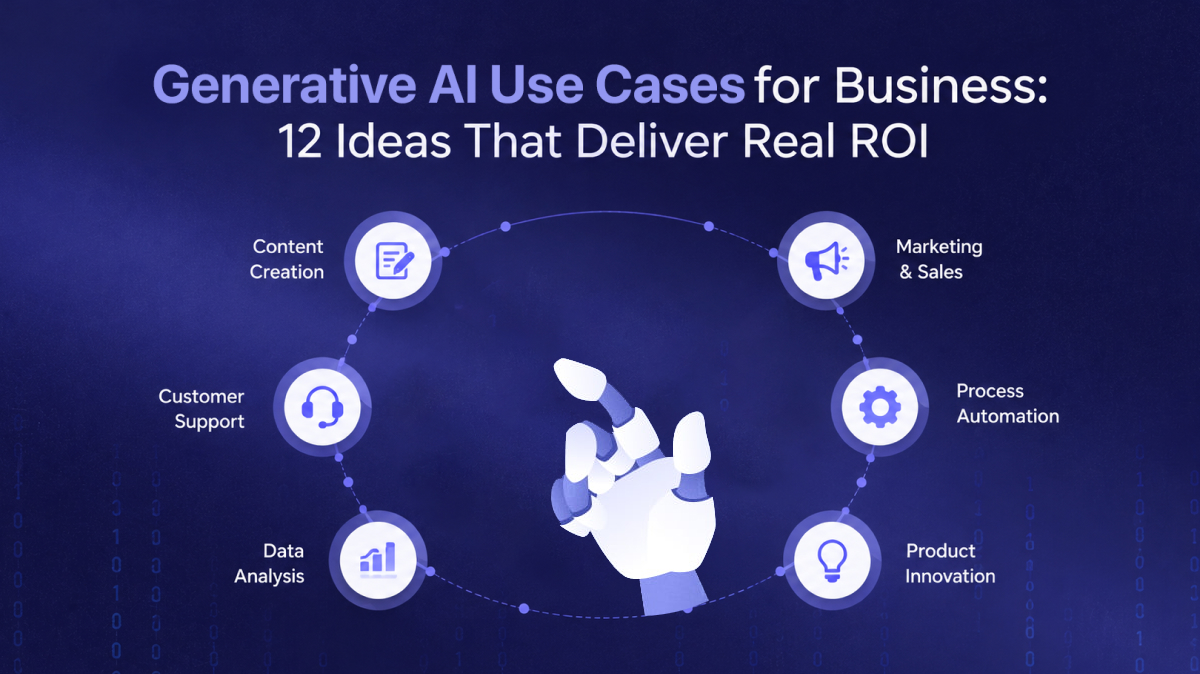
Most companies no longer ask whether large language models work. They ask which generative AI use cases are worth funding, which ones will survive contact with real users, and how to avoid a year of impressive demos that never reach production. This guide answers those questions with 12 concrete ideas grouped by business function.
For each area we describe the pattern behind the use case, what data it needs and where it tends to go wrong. Then we cover how to prioritize, what to settle on privacy and risk, when to build versus buy, and how to move a pilot into a system your team relies on every day.
What makes a good use case for generative AI
Generative AI is strongest when the work involves reading, writing, summarizing or transforming language, and when the cost of a slightly imperfect first draft is low. It is weakest when a task needs exact arithmetic, guaranteed correctness with no review, or knowledge the model cannot access.
Before looking at specific ideas, check each candidate against a few simple tests:
- Volume: the task happens often enough that small time savings add up.
- Verifiability: a person, a rule or a downstream system can check the output quickly.
- Data availability: the knowledge the model needs exists in documents, tickets, a CRM or a database you can connect to.
- Clear owner: a team lead will measure the result and push for adoption.
- Tolerable failure mode: a wrong answer is caught or corrected before it causes real harm.
Generative AI use cases for customer support, sales and marketing
Customer-facing teams produce and consume a lot of text: tickets, emails, call notes, proposals and campaign copy. That makes them a natural starting point.
Customer support
- 1. Agent-assist reply drafting. The model reads the ticket, retrieves relevant help-center articles and past resolutions, and drafts a reply the agent edits and sends. Humans stay in the loop, so risk is low and adoption is usually quick.
- 2. Ticket triage and summarization. Incoming tickets are classified by intent, urgency and product area, routed to the right queue and summarized so the next agent does not reread a long thread.
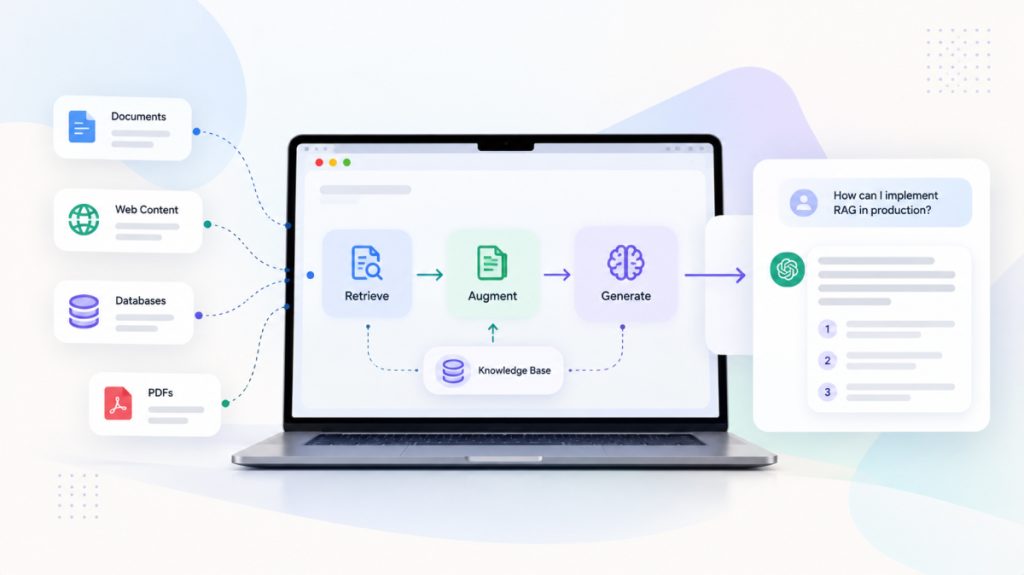
- 3. Self-service assistant with handoff. A customer-facing assistant answers questions from your documentation using retrieval-augmented generation (RAG), cites its sources and hands off to a human when confidence is low or the customer asks.
Sales and marketing
- 4. Account research and call prep. Before a meeting, the assistant pulls CRM history, recent emails and public company information into a one-page brief with suggested questions.
- 5. On-brand content drafting. Product descriptions, email variants, landing-page sections and localized copy generated from a style guide and approved messaging, then reviewed by a marketer.
- 6. Call summaries into the CRM. Transcripts are turned into structured notes, next steps and updated deal fields, which keeps pipeline data current without asking reps to type it in.
All six of these share one trait: a person reviews the output before it matters. That is why they are often the fastest to show value.
Generative AI use cases for operations, engineering and knowledge
Internal use cases are less visible, but they often remove the most manual effort because they target work nobody enjoys and everyone repeats.
Operations and back office
- 7. Document extraction. Invoices, purchase orders, contracts and forms are converted into structured fields and validated against business rules before they enter your ERP or finance system.
- 8. Report and checklist generation. Activity logs, field notes or operational data become weekly summaries, exception reports or structured checklists that managers can act on.
Product and engineering
- 9. Coding and testing assistants. Developers use assistants to scaffold code, write unit tests, explain unfamiliar modules and draft migration scripts, with code review and CI as the safety net.
- 10. In-product copilots. Your own users get natural-language search, guided setup or “do this for me” actions inside your SaaS product, built on your APIs and permission model.
Knowledge management
- 11. Internal knowledge assistant. Employees ask questions across policies, wikis, SOPs and shared drives and get answers with links to the source documents, respecting existing access rights.
- 12. Onboarding and training content. New-hire guides, role-specific quizzes and process walkthroughs are drafted from existing documentation and kept current as that documentation changes.
Knowledge assistants look simple but depend heavily on retrieval quality. If you plan to build one, our guide to building a production-ready RAG system covers chunking, ranking and evaluation in detail.
How to prioritize: value versus feasibility
A long list of ideas is easy to produce. The hard part is choosing two or three to fund first. A simple two-axis score keeps the conversation grounded.
Score value on how much time or revenue the use case affects, how often the task occurs and how closely it links to a metric leadership already tracks. Score feasibility on data readiness, integration effort, the risk of a wrong answer and how easily output can be evaluated.
| Quadrant | What it means | What to do |
|---|---|---|
| High value, high feasibility | Clear owner, accessible data, human review in place | Start here; pilot within a few sprints |
| High value, low feasibility | Data is scattered or risk is high | Fix data and guardrails first, then pilot |
| Low value, high feasibility | Easy to build but marginal impact | Buy an off-the-shelf tool or skip |
| Low value, low feasibility | Hard to build and hard to justify | Park it |
Agent-assist drafting, call summaries and document extraction usually land in the top-left quadrant for companies with decent data. Fully autonomous customer-facing agents often start in the high-value, low-feasibility box until evaluation and guardrails mature.
Data, privacy and risk considerations
Most failed pilots trace back to data and governance, not to the model. Settle these questions early:
- Data residency and retention: where prompts and outputs are processed and stored, and whether the provider may use them for training.
- Access control: the assistant should only retrieve documents the current user is allowed to see. Enforce permissions at retrieval time, not in the prompt.
- Sensitive data: identify personal, health or financial data and decide whether to redact, mask or exclude it before it reaches a model.
- Hallucination and grounding: require citations for factual answers and design the interface so users can check the source.
- Prompt injection: treat user input and retrieved content as untrusted, and limit what tools or actions an agent can trigger.
- Auditability: log prompts, retrieved context and outputs so you can investigate issues and show reviewers how the system behaves.
Frameworks such as the NIST AI Risk Management Framework are a useful checklist for structuring these decisions, especially in regulated sectors like healthcare and finance.
Not sure which use case to start with?
We map your workflows and data to the AI use cases most likely to reach production, and tell you honestly which ones are not ready.
Build vs buy for generative AI
Not every use case needs custom engineering. Many commodity tasks are well served by features already inside your helpdesk, CRM, office suite or code editor. Custom work pays off when your proprietary data, workflow or product experience is the differentiator.
| Factor | Buy (SaaS feature or tool) | Build (custom application) |
|---|---|---|
| Best for | Generic writing, meeting notes, coding help | Workflows tied to your data, systems and rules |
| Time to value | Days to weeks | Weeks to months, depending on scope |
| Data control | Limited to what the vendor offers | You choose models, hosting and retention |
| Integration depth | Within the vendor’s product | Across your CRM, ERP, product and data stack |
| Differentiation | Same capability your competitors can buy | Can become part of your product or advantage |
A common middle path is to buy the model and build the application: use a hosted foundation model through an API, and engineer the retrieval, integrations, guardrails and interface around it. That keeps your options open to switch models as the market changes.
From pilot to production
A demo proves a model can do a task once. Production means it does the task reliably, safely and cheaply enough, for real users, every day. The gap between the two is mostly engineering.
- Scope a narrow pilot. One team, one workflow, one metric, with real users and real data rather than hand-picked examples.
- Build an evaluation set. Collect representative inputs with expected outputs, and run them automatically every time you change a prompt, model or retrieval setting.
- Prepare the data pipeline. Keep source documents fresh, cleaned and indexed. Stale knowledge produces confident but outdated answers. A solid modern data stack makes this far easier.
- Integrate into existing tools. Put the assistant where people already work, such as the helpdesk, CRM or IDE, instead of in a separate tab.
- Add guardrails and fallbacks. Confidence thresholds, human handoff, rate limits and clear error states.
- Monitor and iterate. Track accuracy, latency, cost per task and user feedback, and watch for drift as your content and users change.
A generative AI pilot succeeds when a team would complain if you switched it off, not when it impresses in a steering committee.
Plan for the infrastructure too: model gateways, vector databases, secrets management and cost controls. Our Data & Intelligence team often prepares this foundation alongside the AI work.
Frequently asked questions
What are the most common generative AI use cases in business?
The most common are support reply drafting, ticket summarization, sales call summaries, marketing content drafting, document extraction, coding assistants and internal knowledge assistants. They share high volume, text-heavy work and easy human review.
How do I choose the first generative AI use case for my company?
Score candidates on business value and feasibility. Pick one with a clear owner, accessible data, a measurable baseline and a human review step. Avoid starting with fully autonomous, customer-facing agents unless you already have strong evaluation in place.
Is it safe to use generative AI with company data?
It can be, if you control where data is processed, whether it is retained or used for training, and who can retrieve what. Enforce access permissions at retrieval time, redact sensitive fields where needed and log activity for audits.
How long does it take to move a generative AI pilot to production?
As an indicative range, a focused pilot can run in a few weeks, and production hardening typically adds several more weeks or months. The timeline depends mostly on data readiness, integration complexity and how strict your evaluation and compliance requirements are.
Should we fine-tune a model or use RAG?
Start with RAG when the problem is access to your knowledge, because it is easier to update and cite. Consider fine-tuning when you need a consistent format, tone or specialized behavior that prompting and retrieval cannot deliver.
Next steps
Pick two or three candidates from the list above, score them on value and feasibility, and settle the data and risk questions before you write code. If you want a second opinion, OMANGOM’s AI solutions team can run a discovery session and help you ship the first use case to production. Get in touch to talk it through.