eCommerce Conversion Rate Optimization: 15 Technical Fixes That Lift Sales
Fifteen engineering-led fixes for speed, search, product pages, checkout, payments, personalization and mobile UX, plus how to measure results and run A/B tests you can trust.

⚡ Key takeaways
- Most conversion losses are engineering problems: slow pages, weak search, fragile checkout and missing payment options.
- Group fixes by funnel stage so you can see where shoppers drop off and prioritize the biggest leak first.
- Core Web Vitals, fast search and a short guest checkout are usually the highest-leverage starting points.
- Measure with clean event tracking and run properly sized A/B tests, changing one thing at a time.
eCommerce conversion rate optimization is often treated as a design exercise: new button colors, fresh banners, another pop-up. In reality, many of the biggest leaks in a store are technical. Pages that render slowly on mobile, search that returns nothing for common misspellings, a checkout that forces account creation, or a missing wallet option all cost sales before copy and design ever get a chance.
This guide lists 15 engineering-led fixes, grouped by funnel stage, that product and eCommerce teams can prioritize and ship. It ends with how to measure impact and run A/B tests that produce trustworthy results rather than false wins.
Speed and Core Web Vitals
Speed affects every later stage of the funnel, so it is the natural first step in any ecommerce conversion rate optimization program. Google’s Core Web Vitals give you three measurable targets: Largest Contentful Paint (LCP), Interaction to Next Paint (INP) and Cumulative Layout Shift (CLS).
1. Fix LCP on product and category pages
Serve hero and product images in modern formats such as WebP or AVIF, size them responsively with srcset, and preload the LCP image. Do not lazy-load images above the fold. Render critical content on the server or at the edge so the browser is not waiting on client-side JavaScript to show the product. Our frontend engineering team treats these as release criteria.
2. Cut third-party script weight
Review apps, tags, chat widgets and tracking pixels. Remove unused ones, defer the rest, and load non-essential scripts after interaction. This is often the fastest way to improve INP, because heavy scripts block the main thread when shoppers tap filters or add to cart.
3. Eliminate layout shift
Reserve space for images, reviews widgets, promo bars and dynamic prices with explicit dimensions or aspect-ratio boxes. Unexpected shifts cause mis-taps on mobile, which frustrates shoppers at the exact moment they try to act. Our guide on how to improve Core Web Vitals goes deeper on each metric.
Search and navigation
Shoppers who use search usually arrive with clear intent. When search fails, they leave rather than browse.
4. Make search typo-tolerant and fast
Use a dedicated search engine such as Algolia or a well-tuned Elasticsearch or OpenSearch setup, with typo tolerance, synonyms, and as-you-type suggestions. Track zero-result queries weekly and fix them with synonyms, redirects or merchandising rules.
5. Build filters from real product data
Faceted navigation is only as good as the attributes behind it. Clean up size, color, material and compatibility data in your PIM or catalog, show result counts, and keep filter state in the URL so that the back button and shared links work.
Product pages
The product page is where intent becomes a decision. Your job is to answer every question a shopper has without making them leave the page.
6. Show accurate stock, delivery and variant information
Surface real-time availability per variant and an estimated delivery date based on location. Unavailable combinations should be clearly marked, not discovered at checkout. This depends on a reliable inventory sync between your store, warehouses and ERP.
7. Make media and reviews load fast and work well
Use zoomable, swipeable galleries that are optimized for mobile, and load reviews and Q&A without blocking the main content. Add structured data for products and reviews so search results display price, availability and ratings.
Cart and checkout
Checkout is where engineering quality translates most directly into revenue. Every extra step and every failed payment costs a sale.
8. Offer guest checkout and fewer steps
Never force account creation before purchase. Collect only the fields you need, use address autocomplete, and offer account creation after the order is placed. Validate fields inline rather than after submit.
9. Show total cost early
Surprise shipping costs and taxes are a common reason for abandonment. Display shipping estimates and taxes in the cart, and make promo code handling clear so shoppers do not leave to search for codes.
10. Persist carts across sessions and devices
Save carts for logged-in users server-side and restore them across devices. For guests, keep cart state durable in the browser. Trigger abandoned-cart emails only when you have consent and a reliable event.
Is your checkout leaking sales?
We engineer storefronts, checkout and payments for conversion and sale-day traffic, from fast guest flows to wallets, UPI and BNPL.
Trust and payments
11. Support the payment methods your customers use
Offer cards plus the wallets and local methods that matter in your markets, such as Apple Pay, Google Pay, UPI or BNPL. Express wallet buttons on product and cart pages let returning shoppers skip most of the checkout form.
12. Make payments reliable and visibly secure
Monitor payment success rates by gateway and method, and add retries or a fallback gateway for failures. Use tokenized, PCI-DSS-compliant payment handling, show clear return and delivery policies, and keep error messages specific so shoppers know how to recover.
Personalization and AI recommendations
13. Use recommendations that reflect real behavior
Replace static “you may also like” blocks with recommendations driven by browsing, purchase and catalog data: frequently bought together, similar items, and recently viewed. Semantic or vector search can match intent when shoppers describe what they want in their own words. Always test recommendations against a control, because relevance is easy to assume and hard to prove.
Mobile UX
Mobile often carries most of the traffic but converts less, so mobile-specific fixes deserve their own backlog.
14. Design for thumbs
Use a sticky add-to-cart button, generous tap targets and correct input types, such as numeric keyboards for phone and card fields. Keep filters in a bottom sheet that is easy to open, apply and close.
15. Test on real, mid-range devices and networks
Performance on a developer laptop says little about a shopper on a mid-range phone and a patchy connection. Use field data from real users, and test key journeys on real devices before every major release.
| Funnel stage | Fixes | Primary metric to watch |
|---|---|---|
| Speed and Core Web Vitals | 1–3 | LCP, INP, CLS from field data; bounce rate |
| Search and navigation | 4–5 | Search exit rate, zero-result queries |
| Product pages | 6–7 | Add-to-cart rate |
| Cart and checkout | 8–10 | Checkout completion rate |
| Trust and payments | 11–12 | Payment success rate |
| Personalization | 13 | Average order value, recommendation click-through |
| Mobile UX | 14–15 | Mobile conversion rate versus desktop |
How to measure ecommerce conversion rate optimization and A/B test properly
Fixes only count if you can prove they worked. Poor measurement leads teams to ship changes that did nothing, or roll back changes that helped.
Set up tracking before you change anything
Define a consistent event schema for every funnel step:
- Product or category view
- Add to cart
- Begin checkout
- Add shipping and payment info
- Purchase, with order ID and value
Implement it through a tag manager or server-side tracking, deduplicate purchase events, and reconcile tracked orders against your commerce backend so you know how complete the data is. Our data and BI team often starts here.
Calculate sample size up front
Before launching a test, estimate the sample size you need from your baseline conversion rate, the minimum effect worth detecting, the significance level and statistical power. Smaller expected effects and lower baselines need far more traffic. If your traffic cannot reach that sample in a reasonable time, test bigger changes or measure higher-funnel metrics such as add-to-cart rate.
Change one thing at a time and run full cycles
Test one change per experiment, or use a properly designed multivariate test, so you know what caused the result. Run tests for full weekly cycles to cover weekday and weekend behavior, and do not stop a test early because it looks like a winner. Segment results by device and new versus returning shoppers before rolling out.
A test that is stopped early or changes several things at once does not tell you what worked. It only tells you something changed.
Frequently asked questions
What is ecommerce conversion rate optimization?
It is the practice of increasing the share of store visitors who complete a purchase, by removing friction across the funnel. Technical work such as page speed, search quality, checkout design and payment reliability is a large part of it.
What is a good conversion rate for an online store?
It varies widely by category, price point, traffic source and device, so industry averages are a weak benchmark. Compare against your own baseline and track each funnel stage separately to see where you improve.
Does page speed really affect conversions?
Yes. Slow or unstable pages delay the moment shoppers can see and interact with products, which increases bounces, especially on mobile. Improving Core Web Vitals removes friction at every stage of the funnel.
How long should an A/B test run?
Long enough to reach the sample size you calculated in advance, and for at least one full weekly cycle. Stopping as soon as results look significant inflates false positives.
Should I replatform to improve conversion?
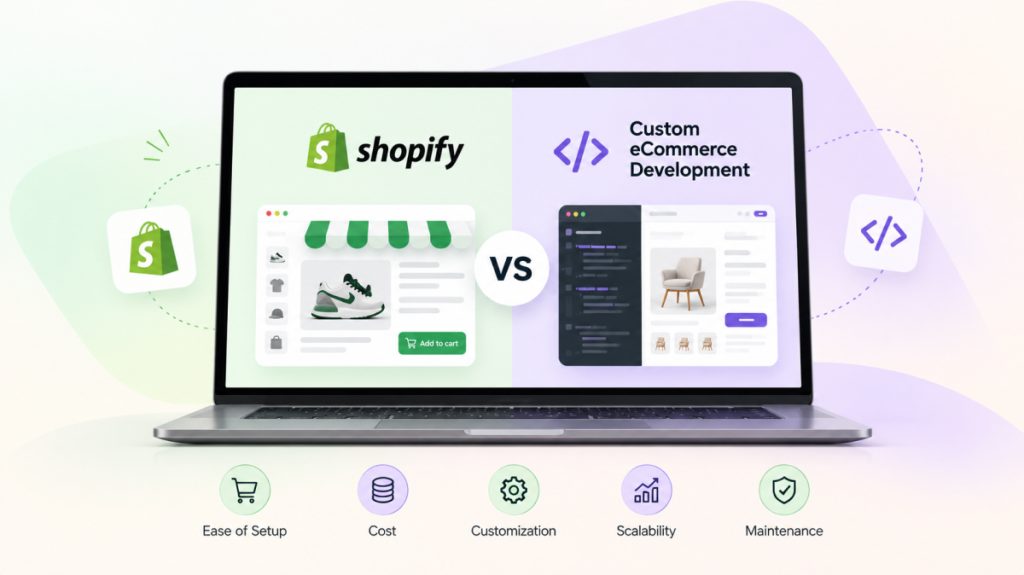
Not usually as a first step. Many fixes can be made on your current platform. Replatforming makes sense when the platform itself blocks performance or checkout improvements. See our comparison of Shopify vs custom ecommerce for the trade-offs.
Next steps
Start by instrumenting your funnel, find the stage with the biggest drop-off, and ship the fixes above in priority order with proper tests. OMANGOM engineers fast storefronts, search, checkout and payment flows for retail and D2C brands. Explore our Retail & eCommerce work or talk to our team about your conversion roadmap.