Headless Shopify: Benefits, Costs and Challenges for Growing Brands
A practical guide to headless Shopify for growing brands: when to move off themes, Hydrogen versus Liquid, performance and SEO impact, indicative costs and the challenges teams underestimate.
⚡ Key takeaways
- Headless Shopify keeps Shopify as the commerce engine (catalog, cart, checkout, orders) and replaces the Liquid theme with a custom frontend, usually built with Hydrogen.
- Go headless when the theme is the bottleneck: performance ceilings, UX you cannot build, multiple storefronts or content-heavy experiences, not just because it is modern.
- The main costs are not the build alone: you take on a frontend codebase, a CMS, hosting and app rework, and you need engineering capacity to run it.
- Done well, a headless storefront can improve Core Web Vitals and SEO control; done badly, it can hurt both. Rendering strategy and migration discipline decide the outcome.
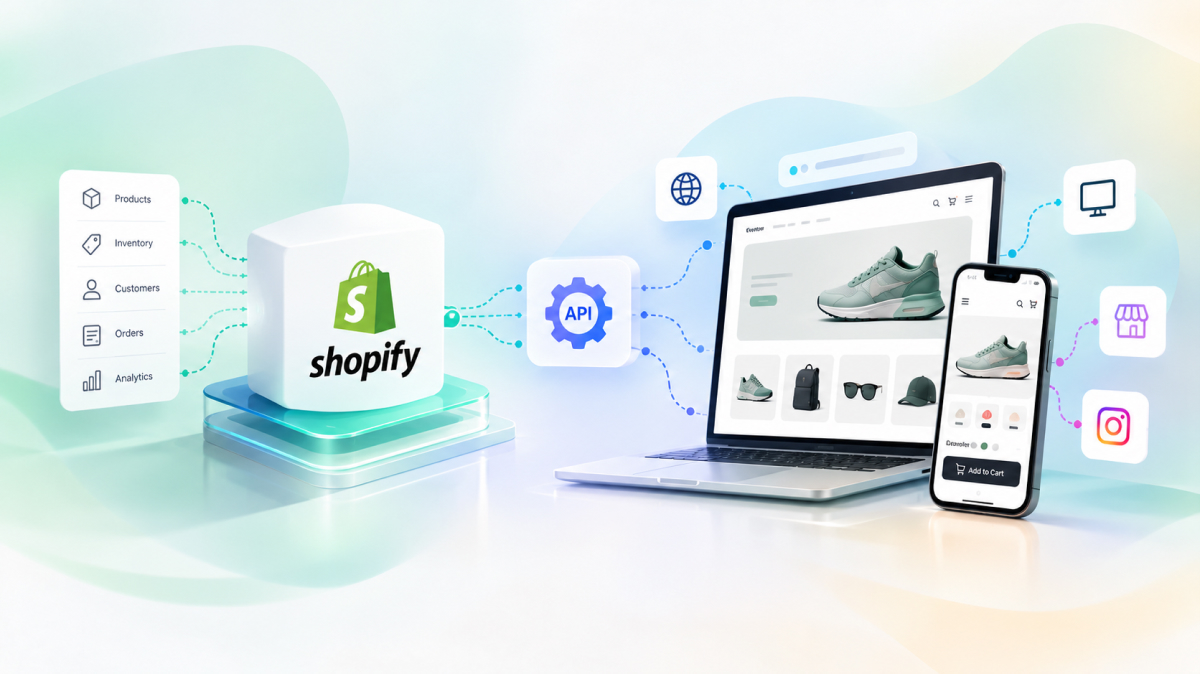
Headless Shopify means keeping Shopify for what it does best (products, inventory, cart, checkout, payments and orders) while building your own storefront on top of its APIs. Instead of a Liquid theme rendering every page, a custom frontend, typically built with Shopify’s Hydrogen framework, fetches data through the Storefront API and renders the experience your brand actually wants.
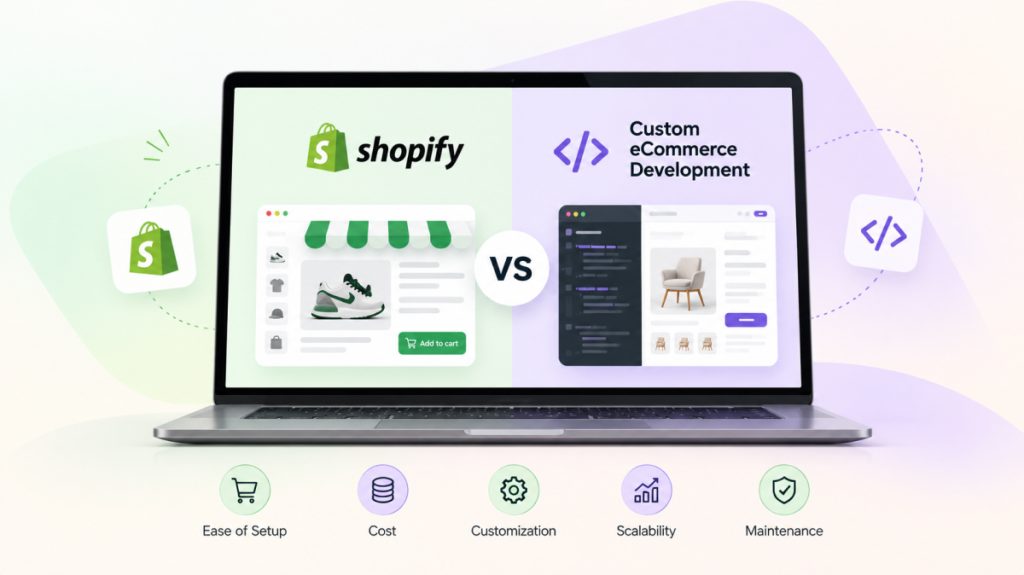
It is a powerful architecture, but it is not a free upgrade. This guide covers when moving to a headless storefront makes sense, how Hydrogen compares with themes, what happens to performance and SEO, indicative cost ranges and the operational challenges growing brands tend to underestimate. If you are still deciding between Shopify and a fully custom platform, start with our Shopify vs custom ecommerce comparison first.
What going headless actually changes
In a standard Shopify store, the theme and the commerce engine are tightly coupled. Liquid templates render pages on Shopify’s servers, apps inject scripts and blocks into the theme, and merchandisers edit layouts in the theme editor.
In a headless setup, that coupling is removed. The frontend becomes a separate application that you own, deploy and version. Shopify is still the system of record for commerce data, and checkout still runs on Shopify, so payments, taxes and order processing stay on the platform you already trust.
What stays on Shopify
- Products, variants, collections, pricing and inventory
- Cart logic, checkout, payments, discounts and taxes
- Orders, customers, fulfillment and the Shopify admin
- Many back-office apps that work through the Admin API (ERP sync, reviews, subscriptions), though storefront-facing apps may need rework
What moves to your frontend
- Page rendering, routing and URL structure
- Design system, components and interactions
- Content composition, usually driven by a headless CMS or Shopify metaobjects
- Search, filtering and personalization integrations
- Performance budgets, caching and deployment pipelines
When to move from a theme to headless Shopify
Most brands should not start headless. Online Store 2.0 themes are fast to launch, easy for non-technical teams to manage and backed by a large app ecosystem. The case for headless appears when the theme itself becomes the constraint on growth.
These are the signals we look for during commerce discovery:
- You have hit a performance ceiling. App scripts, theme bloat and Liquid limitations keep Core Web Vitals poor even after optimization work.
- Your UX roadmap is blocked. Product configurators, rich editorial storytelling, complex bundles or app-like interactions are hard or impossible in a theme.
- You run several storefronts. Multiple brands, regions or channels need a shared component library and consistent behavior across sites.
- Content and commerce are merging. Your marketing team wants a real CMS workflow, not theme sections stretched beyond their purpose.
- You need to unify data sources. The storefront must combine Shopify data with an ERP, PIM, loyalty system or recommendation engine in one experience.
- You have (or can fund) engineering capacity. Someone must own the frontend codebase after launch.
If only one or two of these apply, a well-built custom theme may be the better investment. If most apply, the theme is probably costing you more in workarounds than a headless build would.
Hydrogen vs Liquid themes
Hydrogen is Shopify’s React-based framework for custom storefronts, built on Remix (now React Router) and designed to work with Shopify’s Storefront API and Oxygen hosting. It is the default choice for most Shopify-first brands going headless, although frameworks such as Next.js are also used with the Storefront API. Shopify’s headless documentation covers the supported options.
| Factor | Liquid theme (Online Store 2.0) | Hydrogen storefront |
|---|---|---|
| Time to launch | Weeks, especially with a premium theme | Typically several months for a full build |
| Design freedom | High within theme structure; constrained for complex UX | Full control over components, routing and interactions |
| Performance ceiling | Good, but often degraded by app scripts | High, with server rendering, streaming and fine-grained caching |
| Merchandiser editing | Theme editor out of the box | Requires a CMS or metaobject-driven content model |
| App compatibility | Most storefront apps work by installing them | Storefront apps need API-based integration or replacement |
| Hosting | Included with Shopify | Oxygen or your own hosting (for example Vercel or AWS) |
| Team needed | Theme developer, occasional support | Frontend engineers with React and GraphQL skills, ongoing |
The practical difference is ownership. A theme is something you configure; a Hydrogen storefront is a product you build and maintain. That brings freedom, and it also brings a release process, tests, monitoring and a roadmap.
Performance and SEO impact of headless Shopify
A headless storefront can be significantly faster than a heavy theme because you control every byte shipped to the browser. Server-side rendering, streaming, route-level code splitting and edge caching let you hit Core Web Vitals targets that are hard to reach with a theme carrying a dozen app scripts.
But headless is not automatically faster. A client-heavy React build with large bundles and uncached API calls can be slower than the theme it replaced. Our guide to improving Core Web Vitals covers the techniques that matter most.
SEO gains you can unlock
- Full control over URL structure, internal linking and navigation
- Precise metadata, canonical tags and hreflang for multi-region stores
- Structured data (Product, Offer, BreadcrumbList) generated from your own components
- Faster, more stable pages, which supports both rankings and conversion
SEO risks to manage
- Pages that rely on client-side rendering for key content may be crawled less reliably. Render product and collection content on the server.
- URL changes during the move need complete 301 redirect maps, or you lose accumulated rankings.
- Sitemaps, robots rules and canonical logic that the theme handled automatically must now be built deliberately.
- Faceted navigation can create large numbers of crawlable URLs if filters are not controlled.
A headless storefront gives you more control over performance and SEO, and more ways to get both wrong. The architecture raises the ceiling; engineering discipline determines where you land.
How much does a headless storefront cost?
Costs depend heavily on catalog complexity, number of markets, integrations, design ambition and whether you migrate content. The ranges below are indicative only, based on typical project shapes, and your scope may land outside them.
| Scope | What it typically includes | Indicative build range |
|---|---|---|
| Focused headless build | Single market, core templates (home, collection, product, cart, content), CMS, standard integrations | Roughly USD 60k to 150k |
| Mid-complexity build | Multiple markets or languages, custom search and filtering, several third-party integrations, design system | Roughly USD 150k to 300k |
| Complex or multi-brand | Several storefronts on shared components, ERP and loyalty integration, personalization, advanced content workflows | USD 300k and above |
Ongoing costs to budget for
- Engineering capacity: an internal team or partner retainer for fixes, features and framework upgrades.
- CMS licensing: most headless CMS platforms charge by usage, seats or environments.
- Hosting and monitoring: Oxygen may cover hosting for Hydrogen, but you still need error tracking, uptime and performance monitoring.
- App rework: reviews, search, subscriptions and loyalty tools may need API integrations or paid headless plans.
- Your Shopify plan: which does not go away when you go headless.
Considering a headless build?
We design and build Hydrogen storefronts with Shopify as the commerce engine, from discovery through performance-focused launch.
Challenges growing brands underestimate
Most headless projects that struggle do not fail on technology. They fail on scope, ownership and the details a theme used to handle quietly.
- Losing the theme editor. Marketing teams used to drag-and-drop sections need an equivalent in the CMS, with previews, or they will feel slower after launch.
- App parity. Every storefront app must be mapped to an API integration, a headless-compatible alternative or a custom build. Audit this early.
- Analytics and tracking. Events, consent handling and attribution have to be reimplemented and tested against your old data.
- Preview and content workflows. Draft previews, scheduled content and localization need to be designed, not assumed.
- Ownership after launch. Without a clear owner, framework updates slip and the storefront slowly degrades.
- Checkout expectations. Checkout still runs on Shopify, so deep checkout changes depend on Shopify’s checkout extensibility options, not on your frontend.
A phased approach to going headless
A big-bang relaunch concentrates risk. A phased plan lets you prove value before committing everything.
- Discovery: map catalog, templates, apps, integrations, content types and SEO-critical URLs.
- Architecture: choose the framework, CMS, search, hosting and caching strategy; define the content model.
- Design system: build reusable components once so every template and future storefront shares them.
- Core templates: product, collection, cart and search first, since they carry the most revenue.
- Integrations and migration: apps, analytics, redirects, structured data and content.
- Performance and launch: load testing, Core Web Vitals checks and a monitored go-live.
- Optimization: A/B testing and iteration, guided by our ecommerce conversion rate optimization playbook.
Frequently asked questions
Is headless Shopify worth it?
It is worth it when your theme is limiting performance, UX or multi-storefront growth and you have the engineering capacity to own a frontend. For brands with conventional catalogs and a small team, a well-optimized theme is usually the better return.
Is Hydrogen better than a Shopify theme?
Hydrogen offers more control and a higher performance ceiling, while themes are faster to launch and easier for non-technical teams to run. Neither is better in general; the right choice depends on your roadmap and team.
Does going headless improve SEO?
It can, through faster pages and full control of URLs, metadata and structured data. It can also hurt SEO if key content is rendered only on the client or if redirects are incomplete during the move.
Can I use Shopify apps with a headless storefront?
Back-office apps that use the Admin API usually keep working. Apps that inject features into a Liquid theme, such as widgets or popups, need an API-based integration, a headless-compatible version or a replacement.
How long does a headless Shopify build take?
A focused build commonly takes a few months from discovery to launch, and larger multi-market projects take longer. Phasing the rollout, starting with the highest-revenue templates, shortens the time to first value.
Next steps
If your theme is holding back performance, UX or expansion, a short discovery exercise will show whether headless is the right move and what it would realistically involve. Explore our Digital Commerce services, or talk to our team about your current store and growth plans.